User Inputs – Concrete Masonry Partition Wall Design Calculator
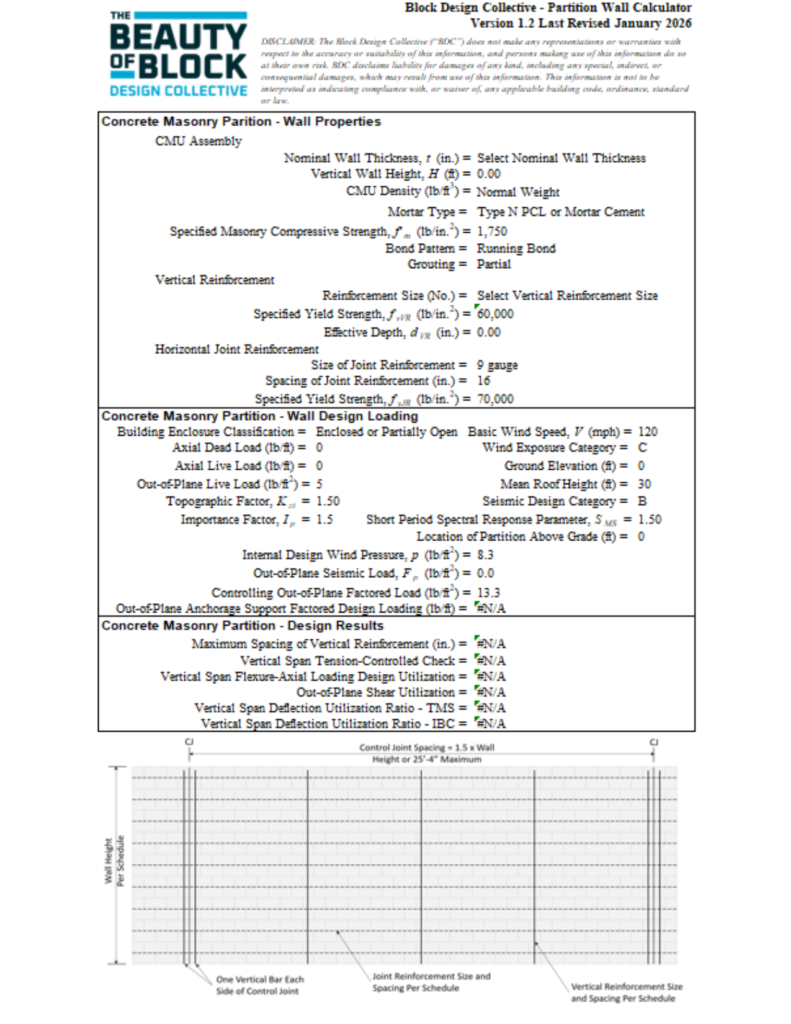
This calculator designs interior concrete masonry partition walls in accordance with the strength design provisions of TMS 402/602-22 and the loading criteria of ASCE/SEI 7-22. Highlighted cells are user inputs. Inputs and outputs use inch-pound units.
User Inputs – Assembly Properties
1) Nominal Wall Thickness, t (in.) – Options include 6, 8, 10, 12, 14, and 16 in. concrete masonry units. The option to use 4 in. concrete masonry units is not included given the relatively small cell sizes of these units and the associated difficulty in placing vertical reinforcement and grout. The specified wall thickness is 3/8 in. less than the nominal wall thickness.
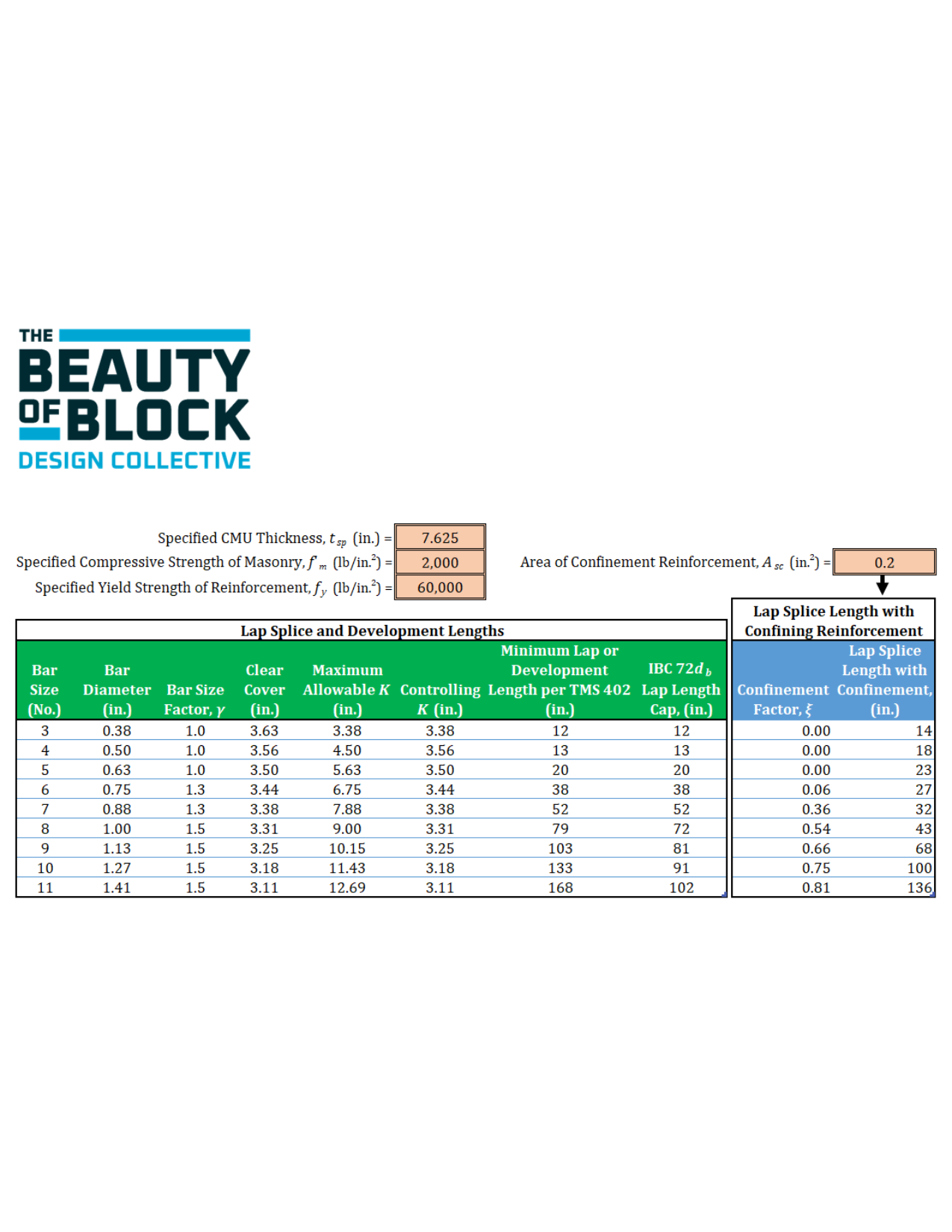
2) Vertical Reinforcement Size (No.) – Selections include all reinforcing bar sizes permitted by TMS 402. TMS 402 also limits the size of reinforcing bars placed in masonry assemblies to a percentage of the cell area receiving the reinforcement and grout. While some unit configurations allow for larger bar sizes, the following can be conservatively applied when selecting the maximum permitted size of the reinforcing bar based on the nominal wall thickness:
6 in. CMU – No. 6
8 in. CMU – No. 7
10 in. CMU – No. 8
12 in. CMU – No. 9
14 in. CMU – No. 11
16 in. CMU – No. 11
3) Vertical Wall Height Design Span, H (ft) – Height of the masonry partition (vertical span) from the support at the base to the top of the wall. While any design height may be selected, concrete masonry construction is ideally laid out using modular dimensions that are a multiple of 8.
4) One-Half- of the Specified Wall Thickness, tsp (in.) – Vertical reinforcement in masonry partitions is typicallly placed in the center of the wall. The calculator calculates this dimension based on the selected nominal wall thickness, which may be entered into the next field.
5) Effective Depth of Vertical Reinforcement, dVR (in.) – The distance from the compression face to the center of the vertical reinforcement; typically one-half of the specified wall thickness. When the vertical reinforcement is not centered, the assembly must by symmetrically reinforced such that the two layers of vertical reinforcement have equal effective depths to the opposite face. Typically, incorporating more than a single layer of vertical reinforcement in concrete masonry assemblies having nominal thicknesses of 8 in. or less is discouraged for congestion and grout placement reasons.
6) Specified Yield Strength of Vertical Reinforcement, fyVR (lb/in.2) – TMS 402 allows the use of either Grade 40 (40,000 lb/in.2) or Grade 60 (60,000 lb/in.2) reinforcing steel.
7) Size of Joint Reinforcement – The most commonly used/available joint reinforcing size is 9 gauge (W1.7 having a diameter of 0.148 in.) wire, however, TMS 402 allows up to 3/16 in. (W2.8 having a diameter of 0.187 in.) joint reinforcing wire to be used. Specifying 3/16 in. diameter should be done with caution as this is the largest diameter of wire that can be placed in a 3/8 in. thick mortar joint, effectively leaving no room to accommodate construction tolerances or lap splicing of the joint reinforcing.
8) Spacing of Joint Reinforcement (in.) – Joint reinforcement is most commonly spaced at 16 in. on center in concrete masonry construction, but this spacing may be decreased to 8 in. on center where design loads warrant additional horizontal reinforcing steel. Inputs also allow for 4 in. and 12 in. spacing options, but these are only applicable to concrete masonry assemblies constructed using half-high (nominally 4 in. tall) concrete masonry units.
9) Specified Yield Strength of Joint Reinforcement, fyJR (lb/in.2) – Most cold-drawn joint reinforcing wire has a specified yield strength of 70,000 lb/in.2. This is also the maximum specified yield strength permitted by TMS 402 for joint reinforcement.
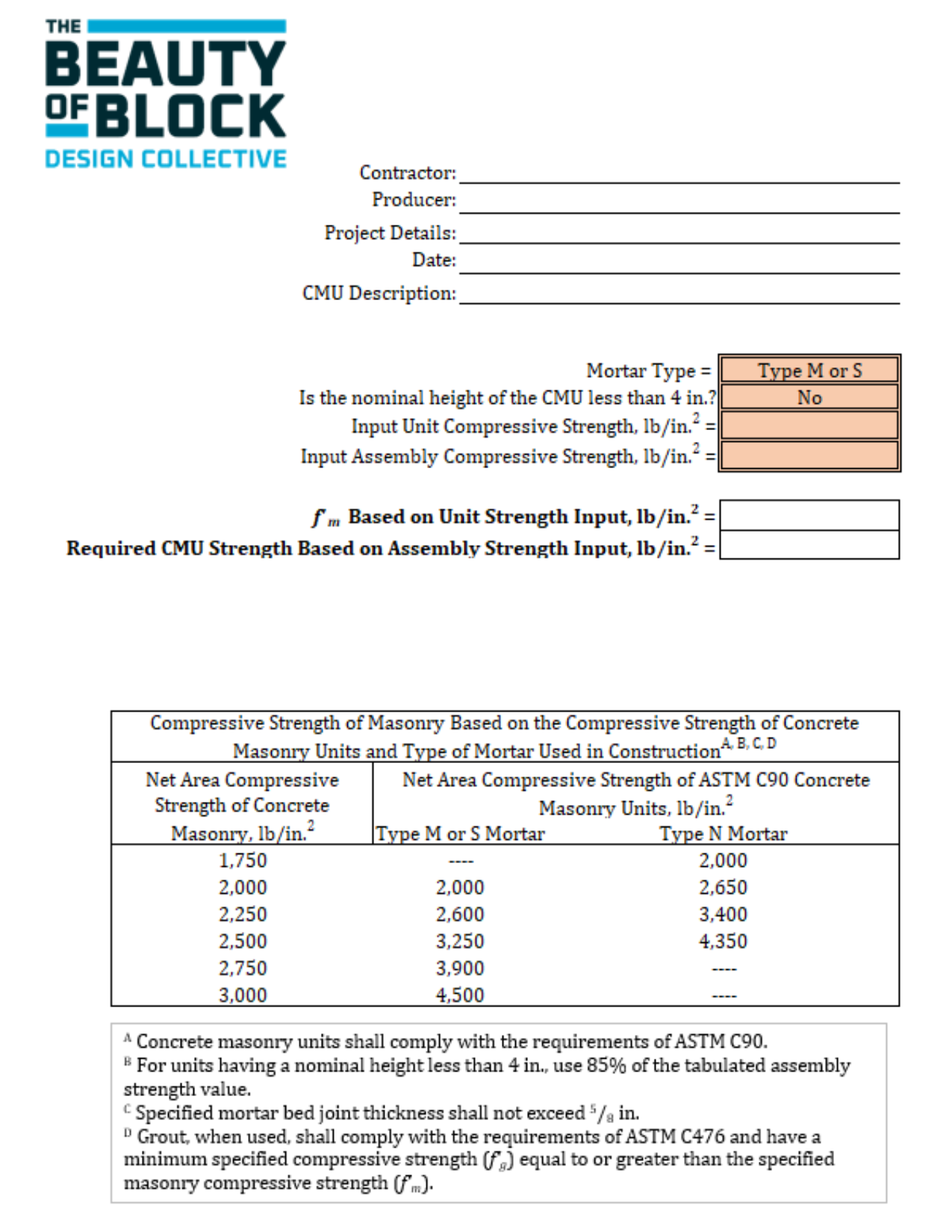
10) Specified Masonry Compressive Strength, f’m (lb/in.2) – In accordance with TMS 402, nonloadbearing partition walls are permitted to carry only a maximum of 200 lb/ft of allowable stress level axial load in addition to their self-weight. As such, there is usually little structural benefit in specifying a high strength masonry assembly for typical partition wall applications. A standard concrete masonry unit meeting the minimum requirements of ASTM C90 has a compressive strength of 2,000 lb/in.2. When laid in Type S mortar, the resulting assembly compressive strength (f’m) is 2,000 lb/in.2. When laid in Type N mortar, the resulting assembly compressive strength (f’m) is 1,750 lb/in.2. The calculator also checks whether the assembly is tension- or compression-controlled as defined by TMS 402. When the assembly is compression-controlled, the specified compressive strength of the masonry (f’m) will need to be increased to satisfy the design checks of this calculator.
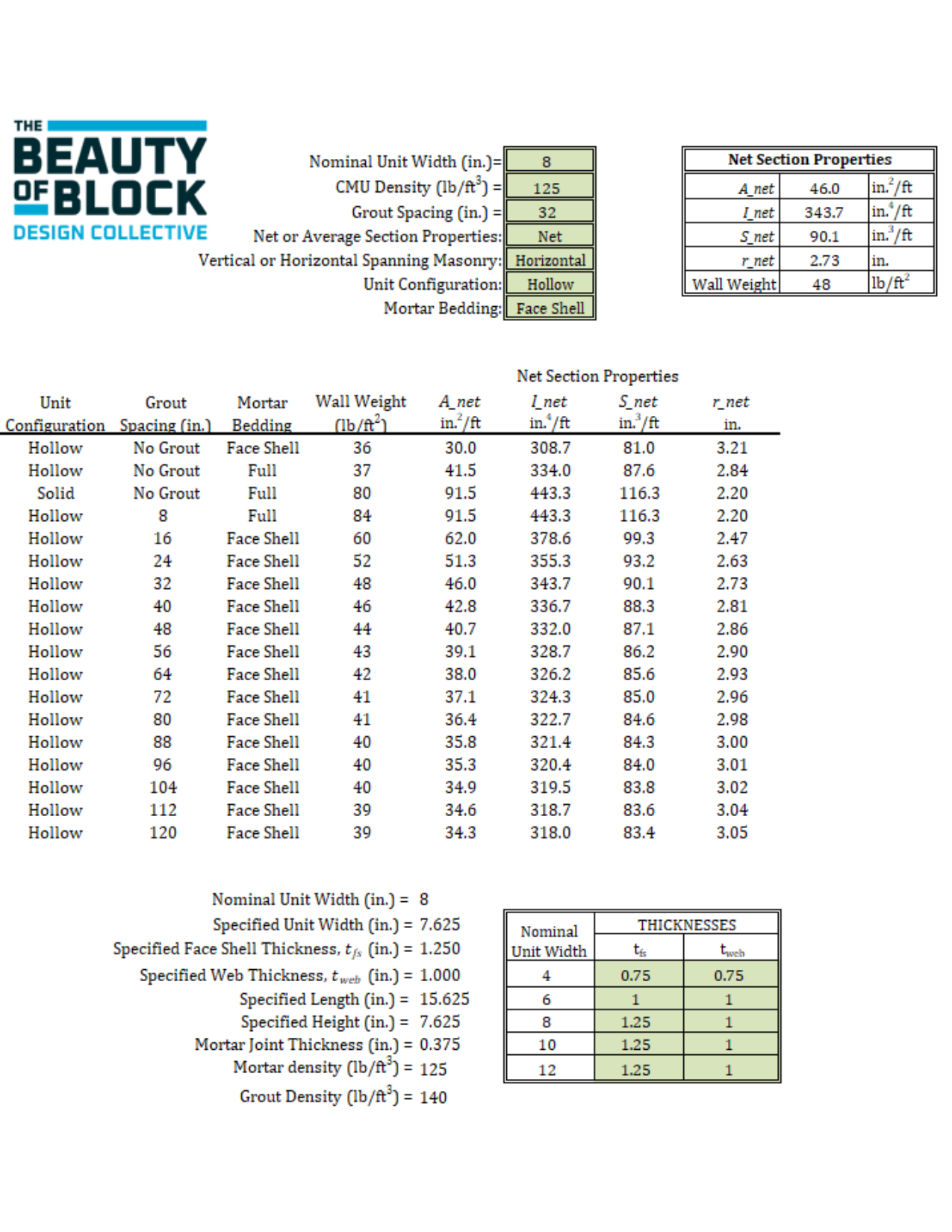
11) CMU Density (lb/ft3) – Most concrete masonry units have a densities that vary from 100 lb/ft3 to 130 lb/ft3, depending on the aggregate used in their production. The density of the CMU is used in determining the assembly weight for axial and out-of-plane design checks, and when applicable, corresponding axial and out-of-plane seismic loads.
12) Mortar Type – When joint reinforcement is used to resist applied loads (such as modeled with this calculator), TMS 402 limits the mortar to either portland cement/lime or mortar cement mortars. As such, masonry cement mortar and air-entrained portland cement/lime mortar is not permitted when designing partitions using this calculator. Although this calculator designs the masonry partition as reinforced masonry, the type of mortar selected will impact the calculated out-of-plane deflection.
13) Bond Pattern – Because partitions designed using this calculator consider bi-directional load distribution (considered both horizontally and vertically spanning elements), the partition is required to be constructed in running bond as the modulus of rupture of stack bond construction spanning horizontally is zero.
14) Grouting – The calculator will determine the maximum spacing of vertical reinforcement required to safely resist the design loading. If partial grout is selected, the design will consider only the vertically reinforced cells as being grouted. Selecting fully grouted will override this an design the assembly with grout place in all vertical cells regardless of the spacing of the vertical reinforcement.
Tension-Controlled Design Check
The strength reduction factor (ϕ) stipulated by TMS 402 varies between 0.65 for compression-controlled masonry assemblies to 0.90 for tension-controlled masonry assemblies with a linear transition between these upper and lower bounds based on the tensile strain in the reinforcement. Because the design of partition walls is controlled by the out-of-plane flexural strength and behavior of the assembly, this calculator applies a tension-controlled strength reduction factor of 0.90 to all design checks to achieve the most economical design.
User Inputs – Design Loading
1) Superimposed Axial Loads – TMS 402 permits small axial loads to be applied to nonloadbearing masonry walls, but limits the total allowable stress level axial load to 200 lb/ft or less. Calculator inputs can be either superimposed dead or live loads, provided the combined axial load does not exceed 200 lb/ft. Sign convention is positive (+) for compressive loading and negative (-) for tensile loading. Superimposed loads are assumed to be applied along the top of the wall for design analyses checks.
2) Out-of-Plane Live Loading – ASCE/SEI 7 Section 4.3.4 requires partitions that exceed 6 ft in height be designed to resist a horizontal live load of not less than 5 lb/ft2.
3) Basic Wind Speed, V (mph) – The mapped design wind speed for the project location based on the structure’s assigned risk category determined in accordance with ASCE/SEI 7 Chapter 26 and Section 1.5. The basic design wind speed can be determined using the online ASCE Hazard Tool: https://ascehazardtool.org/.
4) Wind Exposure Category – The wind exposure category (B, C, or D) determined in accordance with ASCE/SEI 7 Section 26.7 based on the surface roughness characteristics surrounding the project site.
5) Ground Elevation (ft) – Ground elevation above sea level at the project location.
6) Mean Roof Height (ft) – Average height of the roof above grade.
7) Topographic Factor, Kzt – Factor to account for wind speed-up effects due to topography surrounding the project location as determined in accordance with ASCE/SEI 7 Section 26.8.
8) Building Enclosure Classification – Used for determining the internal pressures within a building due to external wind loading as determined in accordance with ASCE/SEI 7 Section 26.12.
9) Short Period Spectral Response Parameter, SMS – Determined using the online ASCE Hazard Tool: https://ascehazardtool.org/ for the project location, building risk category, and site soil classification.
10) Importance Factor, Ip – Determined in accordance with ASCE/SEI 7 Section 13.1.3. Partitions that provide a life-safety function to the structure, such as for fire protection or egress are assigned an importance factor of 1.5 as are partitions in buildings assigned to Risk Category IV structures. All other partitions are assigned an importance factor of 1.0.
11) Seismic Design Category – A structure’s seismic classification based on the risk category and severity of the earthquake ground motion. Determined using the online ASCE Hazard Tool: https://ascehazardtool.org/. Per ASCE 7-22 Table 13.3-1, partitions in buildings assigned to SDC A and B are exempt from seismic loading. Minimum prescriptive reinforcement is required by TMS 402 for partitions assigned to SDC C or higher. These requirements are checked and applied based on the user-defined Seismic Design Category.
12) Location of Partition Above Grade (ft) – Location of partition within the building above grade used to calculate seismic amplification effects.